Google My Business Optimization Guide (Google Business Profile) for Hotels
A practical, hotel-focused guide to optimizing your Google Business Profile: categories, amenities, photos, posts, Q&A, and the review workflow that drives clicks and bookings.
“Google My Business” is now called Google Business Profile (GBP), but most hoteliers still search for “Google My Business optimization”. This guide covers the same goal: get found in Google Search and Maps, and turn profile views into calls and bookings.
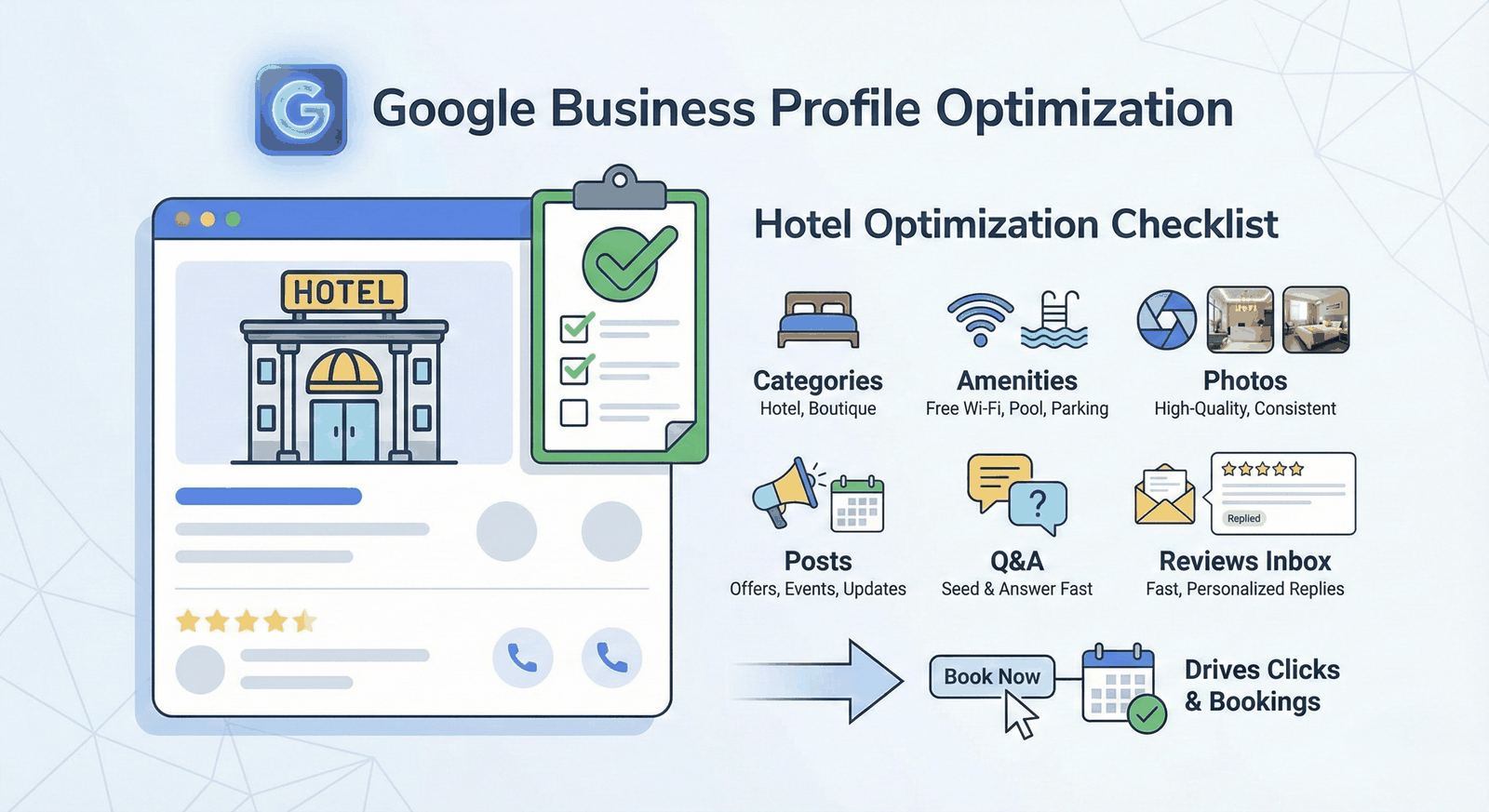
The 2-minute checklist (start here)
- Choose the right primary category (and keep it stable).
- Fill every core field: website, phone, address, check-in/out, attributes.
- Add high-quality photos consistently.
- Publish posts (offers, events, updates).
- Run a repeatable review workflow (ask, monitor, respond).
If you do only one thing: respond consistently and personally to reviews. It’s the one lever most competitors under-use.
1) Categories: the foundation of visibility
Your primary category is one of the strongest relevance signals. For hotels, the obvious choice is usually “Hotel”, but there are edge cases:
- Boutique property? Consider categories that match the guest intent you want.
- Mixed inventory (hotel + apartments)? Don’t dilute the primary category unless it’s truly accurate.
Best practice: pick the best primary category, then add a few accurate secondary categories. Avoid “category hopping” weekly.
2) NAP + website + booking link (don’t waste the click)
Make sure these are always correct and consistent:
- Name: your real brand name (avoid keyword stuffing).
- Address and phone: accurate across your site and OTAs.
- Website: link to the most relevant landing page (often the property page).
Tip for measurement: add UTM parameters to your website link so you can separate GBP traffic in analytics.
3) Amenities and attributes: match real guest questions
Hotels win bookings by removing uncertainty. Fill out attributes that match common intent:
- parking, breakfast, Wi‑Fi
- accessible rooms/features
- pet policy
- pool/spa/gym
Don’t over-claim. Inaccurate attributes generate negative reviews fast.
4) Photos (and why hotels should treat this like inventory)
Photos drive confidence. A simple cadence beats occasional “big updates”:
- lobby, rooms, bathrooms (clean, bright, real)
- breakfast and public areas
- exterior + arrival experience
- seasonal updates
If you manage multiple properties, standardize photo guidelines so your brand looks consistent across locations.
5) Posts: small effort, recurring upside
GBP posts help keep your profile active and can move guests from “research” to “book”:
- weekly offer (e.g., weekday package)
- seasonal event (Christmas market, conference week)
- renovation update (set expectations proactively)
Keep posts scannable: one idea, one CTA.
6) Q&A: stop letting random people answer for you
GBP Q&A often gets ignored—and then the wrong answer sits there for months.
Do this:
- seed 8–12 real questions guests ask (“Is parking available?”, “How far from the station?”)
- answer with short, factual replies
- check Q&A regularly (especially before peak season)
7) Reviews: the workflow that actually moves revenue
GBP optimization is not just fields and photos. Reviews and responses are the part guests read when deciding between similar hotels.
Get more reviews (ethically)
- ask right after a good moment (smooth check‑in, solved issue, great breakfast)
- include a QR code at reception (no incentives)
- send a post‑stay email with one clear request
Respond fast without sounding canned
Use a simple structure and add one real detail:
THANK → SPECIFIC → COMMIT → INVITE
If you want the fastest workflow, use: How to Respond to Every Google Review in Seconds
To avoid generic replies, read: The Importance of Responding to Reviews Individually
Handle negatives professionally
For hotels, negative reviews are unavoidable. The win is how you respond and what you fix.
Use this playbook: How to Respond to Negative Hotel Reviews: A 5-Step Guide
8) Multi-location control: consistency without bottlenecks
If you manage a group, the common failure mode is uneven coverage across properties.
Set up:
- a single inbox for reviews (Google + OTAs)
- tone guidelines per brand
- manager approvals for sensitive cases (1–2 stars, legal/safety, VIP incidents)
That’s exactly where Review Agent helps: one queue, on-brand drafts, approvals, and analytics across platforms.
9) What to track (so you can improve, not guess)
Pick a few metrics you can actually change:
- response rate and response time (by property)
- recurring themes (e.g., “noise”, “cleanliness”, “parking”)
- CTR from GBP website link (with UTMs)
If you want to quantify the impact, use the ROI calculator.
Conclusion
Google My Business optimization (GBP optimization) for hotels isn’t one “setup task”. It’s a system: accurate profile, strong visuals, active updates, and a consistent review workflow.
If you want help with the hardest part—responding fast, staying personal, and keeping quality consistent—start with: Google Review Agent for Hotels: The Complete Guide (2025)
Share this Article
Link copied!